![Via-TRM Knowledge Base.png]](https://help.viatrm.com/hs-fs/hubfs/Via-TRM%20Knowledge%20Base.png?height=40&name=Via-TRM%20Knowledge%20Base.png)
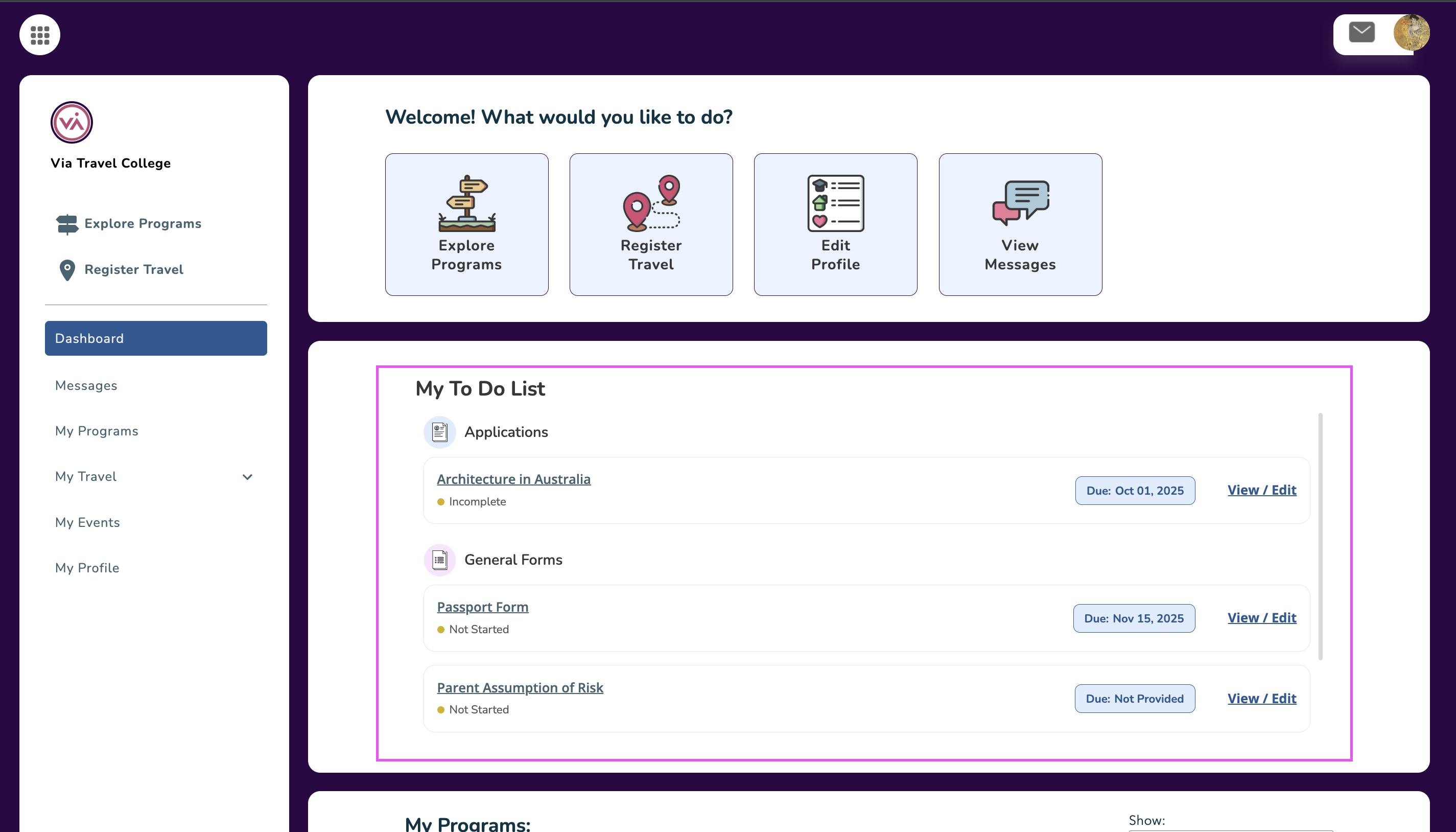
Travelers in Via will see a "My To Do List" above "My Programs" on their Traveler Home Dashboard. The ‘To Do List’ will show any applications that are currently in an Incomplete status, as well as any General Forms and Via Travel Plan Forms that are in a Not Started status.
When travelers access their Home Dashboard, if they have any incomplete applications or forms that have not been started, they will see separate sections for Applications, General Forms, and Plan Forms.
Each application and form will be listed along with its due date. Travelers can easily access a specific application or form by clicking on its name or “View/Edit”.
The "My To Do List" only appears to users logged in as a Traveler in Via.